
Dressmaker Fabrics & Style Tags
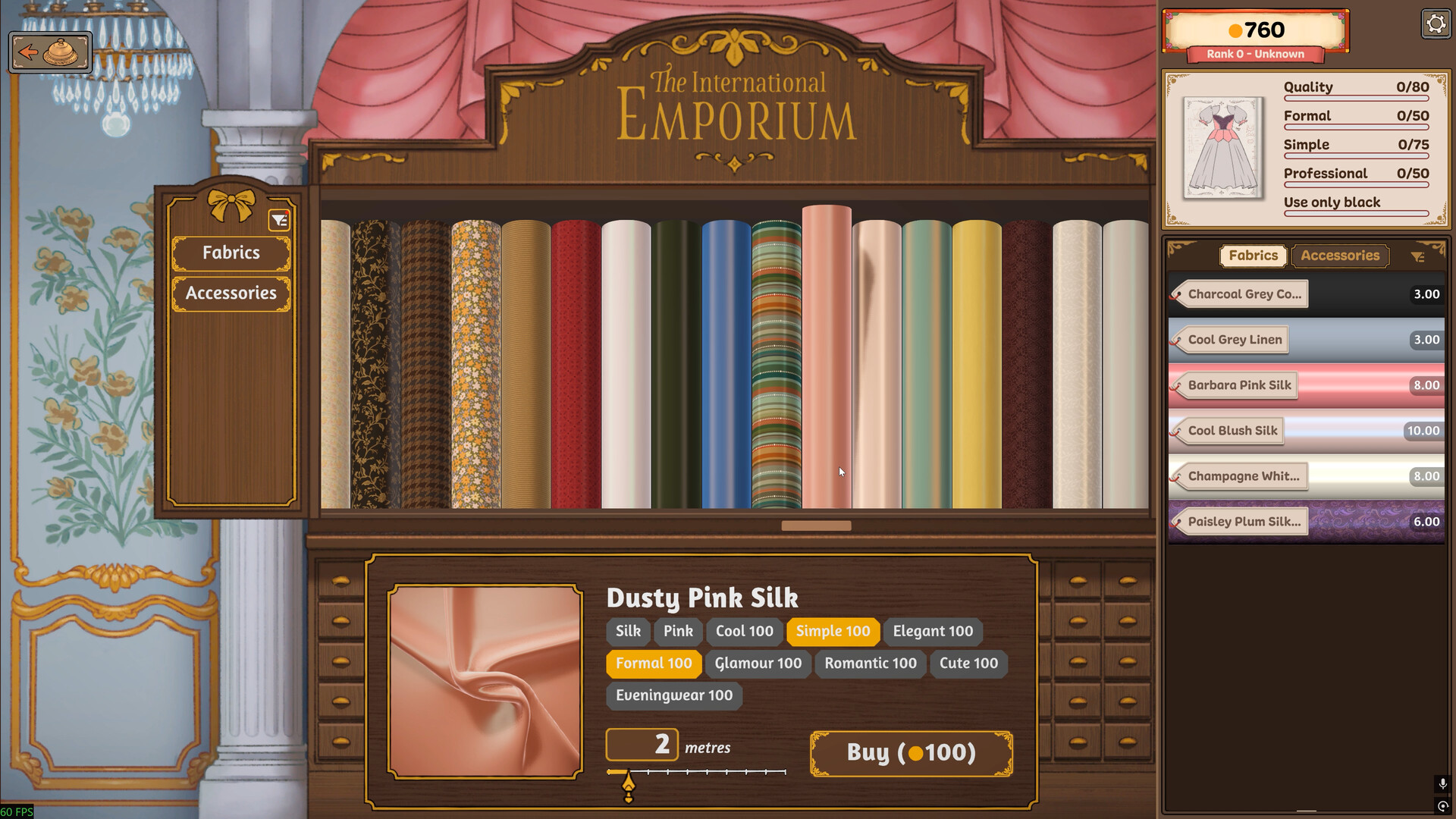
Use this page to pick materials for Dressmaker on Steam so style tags match the client without blowing the budget. This is the game guide — not a real fabric store.
TL;DR — Design first, sample, then buy
- Build the silhouette in the sketchbook.
- Browse the shop, but drag fabric samples into the sketchbook before purchasing.
- Tags appear from fabric + pattern together (dev-described workflow).
- Compare tags to the commission brief.
- Buy only what clears tags and leaves room for trim/mistakes.
Disambiguation
| Query risk | Our framing |
|---|---|
| “Dressmaker fabrics” | Always: Dressmaker game / Steam / Free Lives |
| Real cotton/silk shopping | Out of scope |
Materials named on Steam (examples)
The official Steam page names a wide range including:
| Named example | How to use this row |
|---|---|
| Cotton | Example material family — check in-game card |
| Linen | Example — not a full catalog |
| Wool | Example |
| Silk | Example |
| Velvet | Example |
The full game’s shop is much larger than five bolts. Prefer reading the in-game shop card (type, tags, length, price) over any static list. Exact catalog size claims → against official announcements before publishing a number.
How style tags work
Developer guidance (itch/devlog era, concept still cited by guides): tags show in the sketchbook when you combine dress pattern choices with fabric samples. Fabric alone is not enough.
| Step | Action |
|---|---|
| 1 | Choose neckline/bodice/sleeves/skirt (pattern choices) |
| 2 | Drag candidate fabric samples into the sketchbook |
| 3 | Read resulting tags / bars |
| 4 | Adjust pattern or fabric until commission targets clear |
| 5 | Purchase |
Shop card reading checklist
| Field | Why it matters |
|---|---|
| Material type | Base family |
| Color / pattern name | Visual + possible tag influence |
| Tag scores / preview | Client match |
| Length / meters offered | Enough for all pieces? |
| Price | Budget headroom for trim |
Budget workflow
| Do | Don’t |
|---|---|
| Design → sample → buy | Buy → hope tags work |
| Keep a reserve for trim/accessories | Spend 100% of budget on face fabric |
| Mix fabrics across panels deliberately | Assume one bolt must do everything |
| Re-check tags after pattern tweaks | Forget tags change when silhouette changes |
When tags match but the client still fails
| Extra check | Guide |
|---|---|
| Grain / sewing quality | Grain · Sewing |
| Over budget | Commissions |
| Incomplete decorations expected by brief | Decorations |
FAQ
Do tags come from fabric alone?
No — fabric plus pattern, previewed via samples in the sketchbook.
Are there only five fabrics?
Steam names five examples. The shop contains many more variants.
How do I preview before buying?
Drag samples into the sketchbook design.
What if I bought the wrong bolt?
Check whether your build allows undo; otherwise redesign with a matching sample or absorb the cost and move on.
Does quality replace tags?
No. Clients evaluate style match and budget alongside construction quality.